Click here to know more about the new Command Designer preview feature with Power Fx, replacing the classic Ribbon Workbench in Dynamics 365
Click here to know more about the new Command Designer preview feature with Power Fx, replacing the classic Ribbon Workbench in Dynamics 365

Click here to know more about the new preview feature of Custom Pages in Model Driven Apps and Canvas Apps.

Microsoft has released “Microsoft Power Platform 2021 Release Wave 2 Plan” recently.
Below are the Key dates and Click here and download the Release Plan PDF.
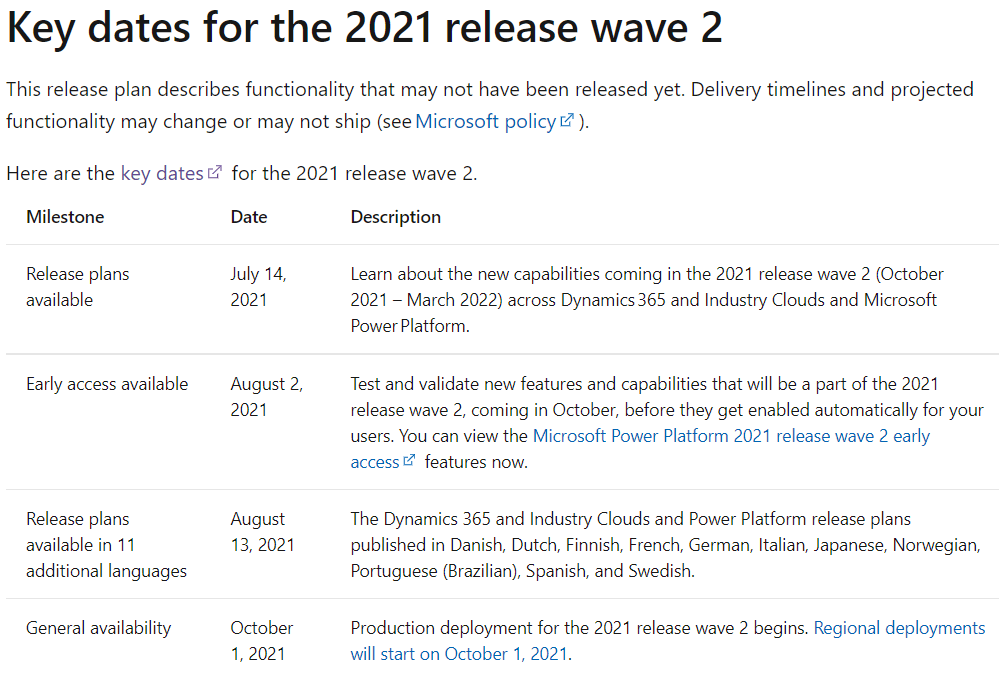

Microsoft has released “Dynamics 365 and industry clouds: 2021 release wave 2 plan” recently.
Check the below for the Key dates and Click here and download the Release Plan PDF.

Microsoft Dynamics 365 icons has been released recently by Microsoft.
Follow the below steps to download the icons.
Step 1: Click on the link Microsoft Dynamics 365 icons | Microsoft Docs.
Step 2: On Microsoft Dynamics 365 icons page, Select the I agree to the above terms Check box and click on Download SVG icons.
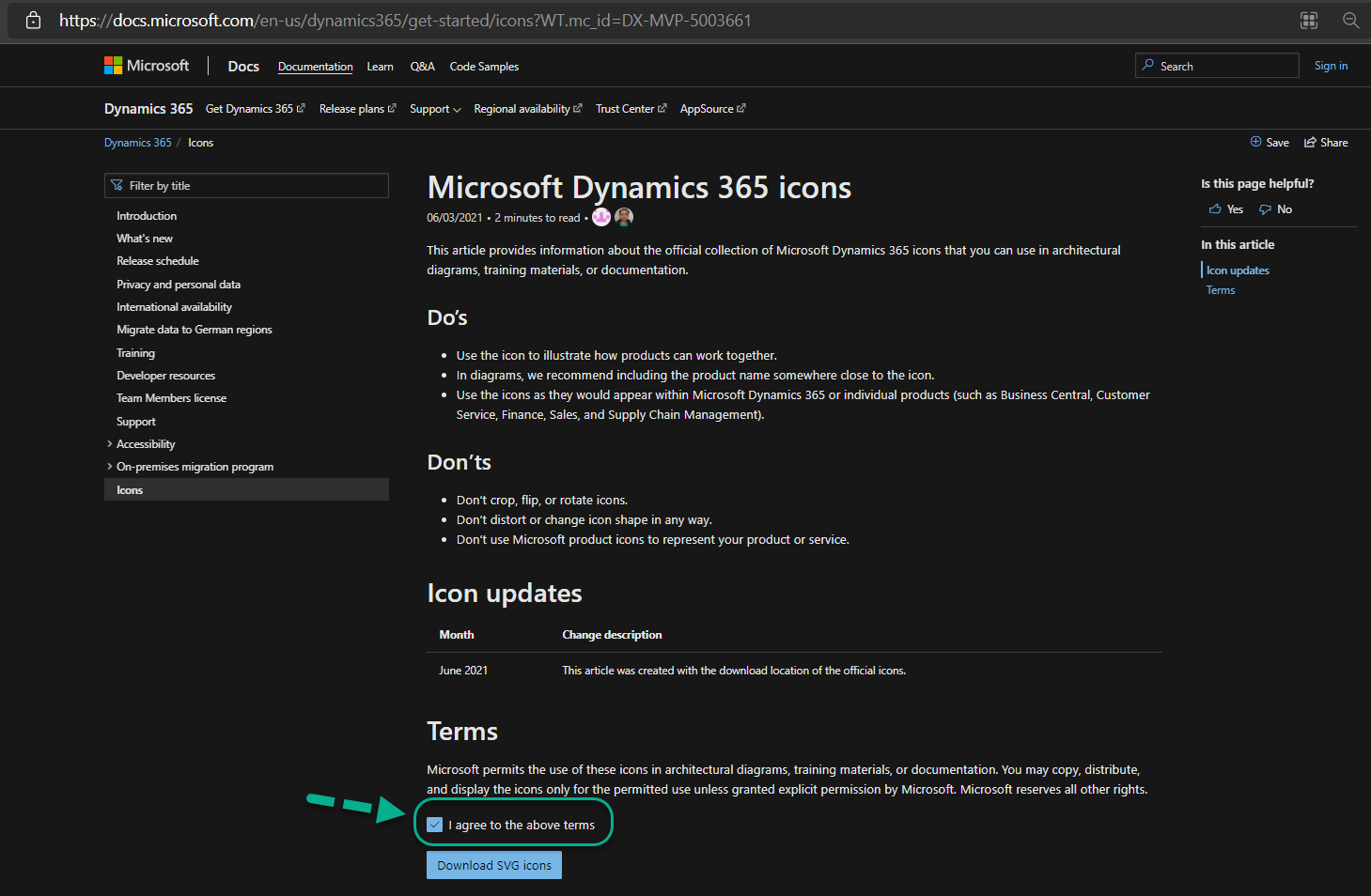
Step 3: All Dynamics 365 Icons will be downloaded as Zip folder. Unzip it and have a look at all the icons used in Microsoft Dynamics Products.

Hope you have successfully downloaded Microsoft Dynamics 365 icons.
It is quite common for us to Create CRM Trial Version online and do some R & D on it.
By default, we will get 30 days of Trial and If you want to extend the Trial by 30 more days, follow the below steps.
Continue reading
It is quite common to use XrmToolBox in our daily Dynamics 365 activities. We can connect to Online Organization in different ways.
In this post, will explain the steps to connect to XrmToolBox using OAuth / MFA for Dynamics 365 Online.
Follow the below steps for the same.
Continue reading