

We might come across this kind of requirement to send emails from Dynamics CRM to the email addresses, which are not present as a row in OOB or Custom Tables in Dataverse.
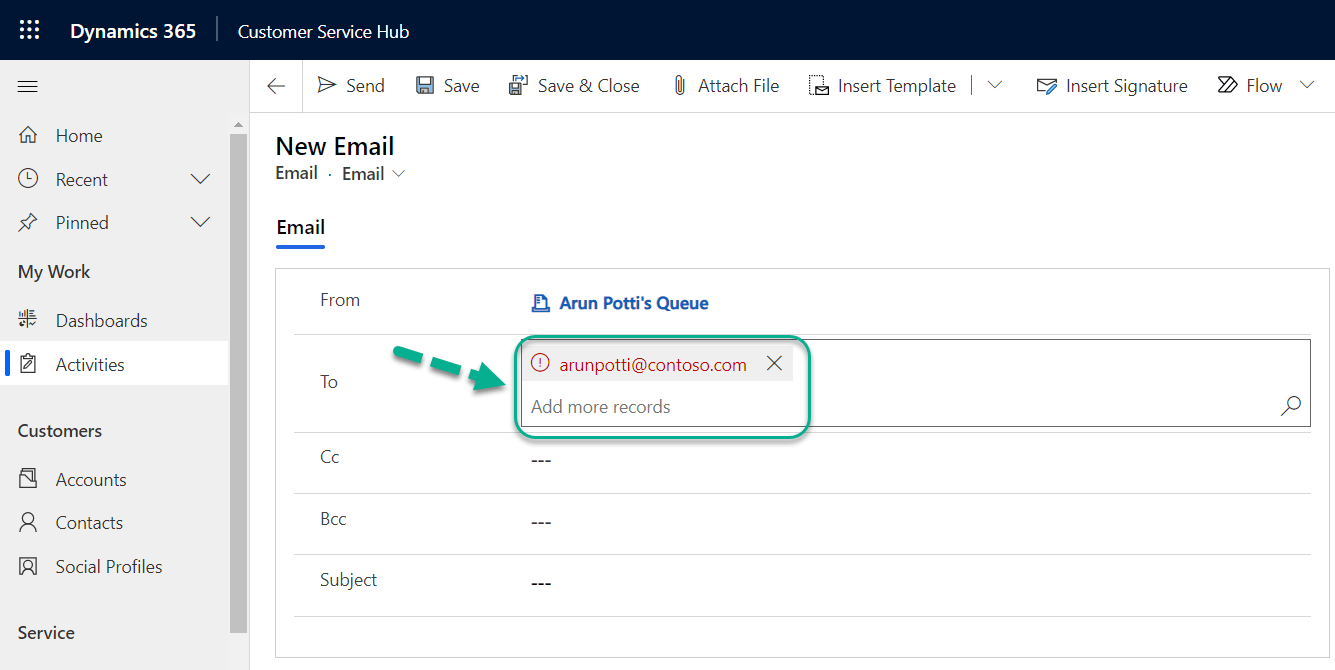
Below is an example of Unresolved email address (arunpotti@contoso.com) present in To column and this is not part of any Table Row in Dataverse.

But if you want to send an email to such unresolved email address, follow the below steps.
Step 1: Open your Model Driven App and Click on the Settings icon.

Step 2: Click on Advanced Settings.

Step 3: Go to Settings and Click on System Settings.

Step 4: Click on Email Tab and Select Allow messages with unresolved email recipients to be sent option to Yes under Set Email form options.

Step 5: Clear the browser Cache and reopen Dynamics CRM.
Click on the below link to see my previous blog post to know more about Clearing the Browser Cache.
Step 5: Enter your Unresolved email address in the To field and send the emails now.
Hope you have successfully configured this setting and sent emails to unresolved email addresses from Dynamics 365 CRM.
Please share your valuable feedback on this article.
Discover more from Arun Potti's Power Platform blog
Subscribe to get the latest posts sent to your email.
This there a way for those unresolved emails to search the Contacts table and automatically find the email? Trying to find a way to remove the red text and warning message.
You can use Quick find Email Address fields on Contacts table and search for it, before sending the email.